DSKY · Volume 18
DSKY — Volume 18 — The Open DSKY: Building the Replica
The interface that flew to the Moon, glowing on your own workbench
18.1 About This Volume
For seventeen volumes this series has been about a machine that no longer exists in any form you can touch. The Apollo Guidance Computers are in museums now, behind glass, their rope memory forever frozen with whatever program was last woven into it. The DSKYs that astronauts keyed in lunar orbit are artifacts, lit — when they are lit at all — by a curator’s careful reproduction circuit rather than by a spacecraft. You can stand in front of one. You cannot key a verb into it and watch it answer.
This final volume changes that. It is the moment the whole arc turns from history to a workbench — from reading about the machine that flew to the Moon to building the part of it you can hold in your hands. The object in question is the Open DSKY, an open-source, working homage to the Apollo Display and Keyboard, designed so that an ordinary person with a soldering iron, a weekend, and a little patience can have the Apollo interface alive and glowing on their own desk. It is not the real thing — we will be honest, repeatedly and precisely, about what is faithful and what is necessarily different — but it is a real thing, and it does something the museum pieces cannot: it responds.
There is a pleasing symmetry in how this collection’s two launch units close. The Enigma series ended with the Open Enigma, a working cipher-machine replica. The DSKY series ends with the Open DSKY. And — a genuine through-line, not a contrivance — both were made by the same small American workshop. So the series that began in Volume 1 with “the computer that flew to the Moon” ends where every good engineering story should: at a bench, with components spread out, and a power switch waiting to be thrown.
18.2 Who Made It
The Open DSKY comes from S&T GeoTronics, LLC, a small outfit run by the engineer-makers James Sanderson and Marc Tessier — the same two-person shop, readers of the Enigma series will recognize, behind the Open Enigma. That earlier project was an Arduino-driven recreation of the German M4 naval Enigma, built as a custom shield on an Arduino Mega and programmed to reproduce the machine’s stepping-and-substitution behavior key for key. The Open DSKY is its spiritual sibling: take an iconic, otherwise-unobtainable piece of twentieth-century hardware, distill it down to an affordable microcontroller and a 3D-printed case, publish the design and the code, and let people build it themselves.
That ethos — iconic machines, opened up — is exactly the thread this collection follows, and it is why the Open DSKY is the right object to close on. S&T GeoTronics did not try to clone the Apollo computer. They asked a narrower, more achievable, and frankly more useful question: what would it take to put the experience of the DSKY — its face, its lamps, its strange little verb-and-noun language — within reach of a hobbyist?
The answer launched on Kickstarter in early 2018. The campaign, titled OPEN DSKY Apollo 50th Anniversary — Make 100, ran from late January to early March of that year — timed, as the title says, to the looming fiftieth anniversary of Apollo 11. (The project had been previewed publicly in late 2017, which is why some accounts place it a year earlier; the funding campaign itself ran in 2018.) It asked for a modest twenty thousand dollars and raised, in the end, a little over eighty-three thousand, from just under two hundred backers — a comfortable success for a niche piece of space-history hardware. Backers could choose their level of involvement: at the low end, a bare printed circuit board for a few tens of dollars; in the middle, kits of escalating completeness; and at the top, for several hundred dollars, a fully assembled and tested unit, housed in a 3D-printed case and presented in a mahogany box like the heirloom it was meant to become.
18.3 What It Is, Physically
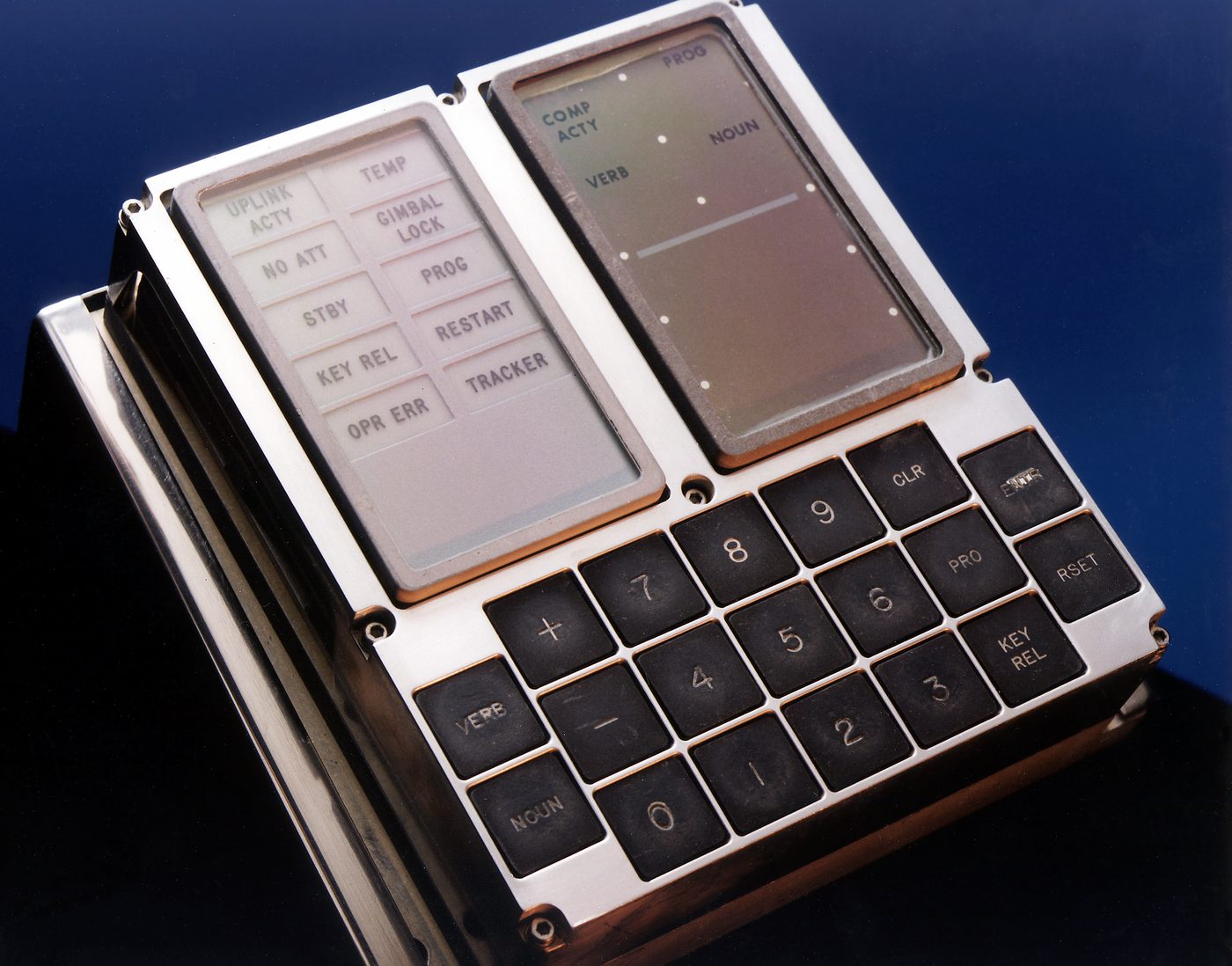
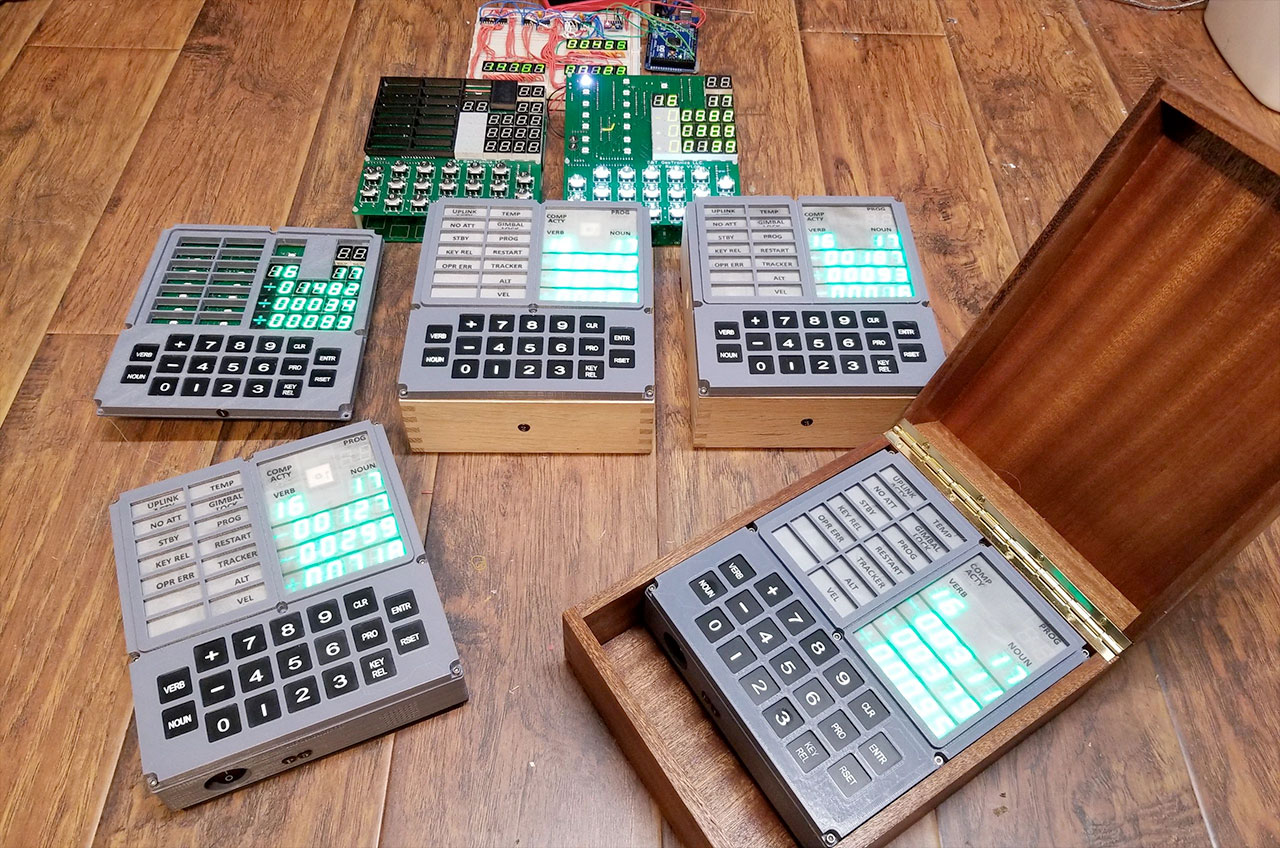
Hold an Open DSKY at arm’s length and the silhouette is immediately, almost startlingly, right. The proportions of the original DSKY panel — discussed in the mechanics volumes of this series — have been carried over faithfully: the upper-left block of warning and status lamps, the upper-right block of seven-segment numeric registers, and below them the unmistakable keypad with its VERB and NOUN keys flanking the digit pad, the PRO, KEY REL, ENTR, CLR, RSET, and the sign keys. If you have spent any time looking at photographs of the real article, your hands already know where to reach. That is the whole point.
Underneath the homage, though, the technology is resolutely modern, and the makers are refreshingly candid about it. The numeric registers are not the original’s electroluminescent segments — that glowing green Apollo numeral, painted in light by a thin-film phosphor energized at a couple of hundred volts, was simply not reproducible on a hobby budget. Instead the Open DSKY uses seven-segment LED displays chosen to evoke the original’s green glow, arranged in the same three rows of registers (plus the small sign and program fields) that the Apollo panel carried. The effect, in a darkened room, is a convincing echo of the real thing even though the underlying physics is entirely different.
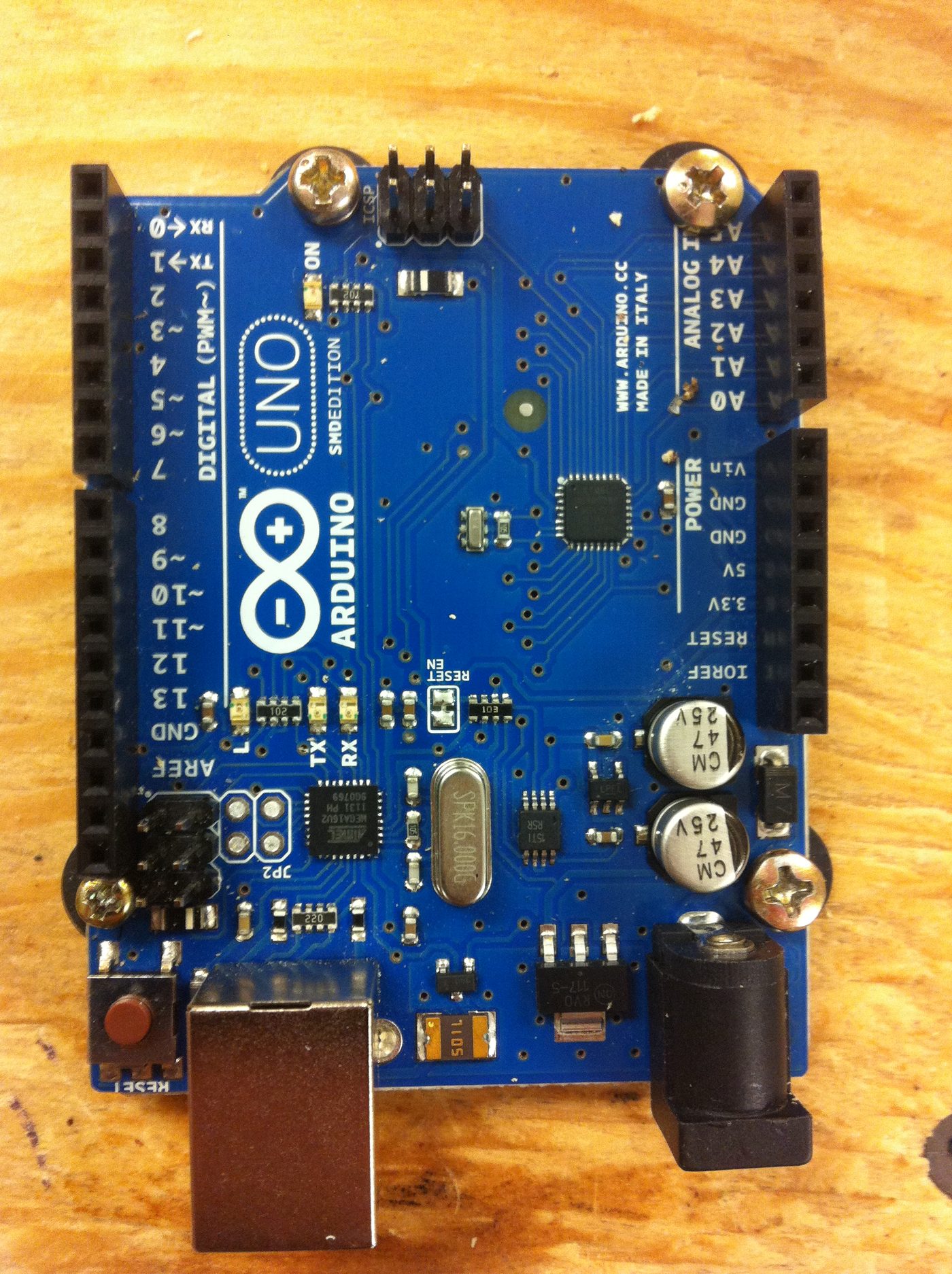
The bank of indicator lamps — the famous UPLINK ACTY, NO ATT, STBY, KEY REL, OPR ERR, PROG, COMP ACTY, and the rest, the little rectangular windows that an astronaut scanned for a wrong answer — is realized as a matrix of individually addressable NeoPixel RGB LEDs behind a printed legend, so each lamp can be lit, dimmed, or flashed independently under software control. The keypad is a conventional momentary-switch matrix scanned by the microcontroller. And the brain of the whole thing is, fittingly for the descendant of the Open Enigma, an Arduino Nano — the small ATmega328P board that costs a few dollars and runs the firmware that animates the lamps, reads the keys, and drives the displays.
It is worth sitting with that contrast for a moment. The original DSKY (Volumes 5 through 8) was the front panel of a thirty-odd-kilogram computer whose memory was physically woven — program words encoded by the pattern of wires threaded through or around tiny magnetic cores, by hand, by women in a Massachusetts factory. The Open DSKY’s “computer” is a postage-stamp microcontroller you could lose in your pocket, running code held in ordinary flash memory you can rewrite a thousand times. The panel is a loving reproduction; the machine behind it is a different machine entirely. Both of those statements are true at once, and holding them together honestly is what this volume is for.
18.4 The Software Underneath — and an Honest Distinction
Here we must be careful, because this is the place where enthusiasm most easily outruns the facts, and this series has promised you accuracy over romance.
The Open DSKY ships with custom firmware written by S&T GeoTronics, later substantially expanded by a collaborator under the banner of the Apollo Education Experience Project. That firmware gives the unit a rich repertoire: by the time the polished “Apollo Project” software was shipping on new units, it offered on the order of fifty functions reachable through combinations of around eleven verbs, seventeen nouns, and nine programs, plus genuinely delightful extras — a real-time clock, a GPS mode that displays your coordinates and time from an onboard receiver, a library of roughly fifteen Apollo audio clips played through an internal speaker, and synchronized re-enactments of the Apollo 11 launch and lunar landing, where the lamps and registers march through the mission’s actual cadence while the famous audio plays. Key a verb and a noun and the panel answers in the right idiom; it is, by any fair measure, a working DSKY.
But — and this is the distinction that matters — that stock firmware is a behavioral simulation, not the Apollo flight program. It reproduces what the DSKY did — the verb-noun grammar of Volume 9, the flashing-display dialogue, the lamp logic — by implementing a hand-written subset of functions on the Arduino. It does not run the original Apollo Guidance Computer’s assembly code. The makers themselves are clear about this; the firmware implements a curated selection of behaviors rather than emulating the AGC’s processor and executing its rope-memory software.
So where does Ron Burkey’s Virtual AGC — the subject of Volume 17, and the great open-source resurrection of the actual Apollo code — fit in? It fits in as the other half of the story, the half that closes the loop. Virtual AGC’s emulator, yaAGC, does what the Arduino firmware does not: given the genuine Apollo assembly source (recovered, transcribed, and assembled by Burkey’s project), it executes that code instruction by instruction, and when you feed it the inputs the real computer saw, it answers exactly as the real computer did. yaAGC includes its own simulated DSKY — but nothing stops you from giving it a physical one.
And builders have done precisely that. The most prominent example is the community project DSKY-matic, which takes an Open-DSKY-style panel and drives it not from an Arduino running a behavioral sketch but from Ron Burkey’s yaAGC running on a Raspberry Pi 4, wired to the lamps, keypad, and displays through small interface boards. In that configuration — and this is the genuinely thrilling part — the panel on your desk is no longer imitating the DSKY’s behavior. It is a real keyboard and display wired to a faithful re-creation of the actual Apollo software. Key a verb and a noun and you are, at last, talking to the program that flew.
The honest summary, then, is this. The Open DSKY as sold is a faithful homage that behaves like a DSKY; it does not, out of the box, run the Moon’s code. But because the hardware and the firmware are open — because the whole project exists to be modified — it has become a platform that the Virtual AGC community has connected to the genuine article. The accessible kit and the authentic emulator are two ends of the same bridge, and a determined builder can walk the whole length of it. Most owners run the lovely stock firmware and are perfectly happy. The point is that the door to the real thing is unlocked, and that is exactly the kind of openness this collection celebrates.
18.5 Faithful Versus Simulated — A Reckoning
It helps to lay the two machines side by side, plainly.
The original DSKY was an electromechanical front panel: relays driving electroluminescent numerals, incandescent and electroluminescent indicator lamps, and a keypad, all hard-wired to an Apollo Guidance Computer sitting in the spacecraft’s equipment bay — a sealed magnesium box of discrete NOR-gate logic and woven core-rope memory, weighing some seventy pounds, drawing tens of watts, and tied through the rest of the guidance system to a gimballed inertial measurement unit that physically knew which way the spacecraft was pointed (Volumes 5 through 8). When an astronaut keyed V16 N68 to monitor the landing, the request travelled through real relays into real software running on real hardware that was, at that instant, steering a real descent.
The Open DSKY reproduces the panel and the behavior. Its numerals are LEDs, not electroluminescent phosphor. Its memory is flash, not woven wire. Its “computer” is a microcontroller, not a rope-memory machine — and there is, of course, no inertial platform, no spacecraft, no Moon. What it gains in exchange is everything that made it possible to put in this volume at all: it is affordable, it is open (design files and source published for anyone to study, fork, and improve), it is hackable (the reason it could be married to Virtual AGC), and — in its fullest form — it actually runs Apollo code, something no museum piece behind glass will do for you.
Neither fact diminishes the other. The replica is not a fraud for using LEDs, any more than a working Enigma replica is a fraud for using an Arduino; and the original is not made small by being reproducible. What the Open DSKY offers is a particular and rare gift: the chance to put your own thumb on the VERB key and key the language the astronauts keyed. Every reader who worked through Volume 9 — who learned that V37E loads a major mode, that a flashing display is the computer asking a question, that NOUN selects what and VERB selects what to do with it — can, with this object on the bench, finally speak that language out loud, with their hands, and watch a green register answer back. That is not nothing. That is the whole series made tactile.
18.6 The Build Experience
What is it actually like to build one? The owner’s photographs will be added to this volume in time; what follows is the general shape of the journey, the kind of weekend it is.
You begin, as with any kit of this sort, by spreading the parts out and taking inventory: the main printed circuit board, the strips of seven-segment displays and the addressable lamp LEDs, the keypad switches, the Arduino Nano, the small support components, the 3D-printed bezel and case pieces, and the hardware. There is a real pleasure in this first survey — laying out the parts that will become a working display and the keypad an astronaut’s hand would recognize.
Assembly is through-hole soldering, friendly to a careful beginner: seating and soldering the seven-segment displays in their neat rows, fitting the indicator-lamp LEDs in their matrix, mounting the keypad switches, and seating the Arduino. The work rewards patience and a methodical hand — get the displays straight and the orientation right, and the panel comes together with satisfying speed. With the board populated, you flash the firmware: connect the Arduino over USB, upload the published sketch, and the brain is loaded. Then the parts marry to the case — the 3D-printed enclosure and bezel that turn a green circuit board into the face of a DSKY — and the keypad legend and lamp labels drop into place over their LEDs.
And then the moment the whole weekend has been building toward: first power-on. You connect the supply, and the first thing any DSKY veteran reaches for is the lamp test — historically the province of Verb 35 — the command that lights every indicator at once. You key it, press ENTR, and the entire status block flares to life: UPLINK ACTY, NO ATT, STBY, KEY REL, OPR ERR, PROG, every little window glowing together, exactly as a crew would have checked their panel before trusting it. There is, by every account of people who have done it, a small jolt of delight here — the thing works, the lamps are real, the panel you built is awake.
Then the first true conversation. You key a verb and a noun — ask it for the time, or step into one of the canned mission sequences — press ENTR, and the green numerals respond, marching out digits in the cadence of the original. The Apollo interface is alive on your desk: lamps you soldered, a keypad you assembled, a display answering in the idiom of 1969. For anyone who has read this far through eighteen volumes, it is difficult to overstate what that feels like. The machine that flew to the Moon spent this series as a subject of study. Now a piece of it is yours, and it is talking back.
18.7 The Wider Replica and Simulation Ecosystem
The Open DSKY does not stand alone. It sits at the accessible, hands-on corner of a surprisingly rich world that grew up around the Apollo computer, much of it cresting around the fiftieth anniversary in 2019.
At the software-only end live the simulators. Ron Burkey’s Virtual AGC (Volume 17) is the foundation: the open-source project that recovered the actual flight code and built yaAGC to run it, complete with a simulated DSKY you can drive from a web page or a desktop. Lighter-weight browser simulators — an online “moonjs”-style AGC, a WebAssembly webAGC port — let anyone key verbs and nouns in a tab, no hardware required. These are how most people first touch the AGC, and they are wonderful; what they lack is the thing the Open DSKY supplies, which is a panel under your fingers.
In the middle sit the physical replica builds — a small, generous community of makers who, especially around the anniversary, built DSKYs of every fidelity and shared the designs. The Open DSKY is the most productized of these (a real kit, a real campaign, a real box), but it has cousins: panels driven by Virtual AGC like the DSKY-matic, painstaking efforts to reproduce the original’s electroluminescent display rather than fake it with LEDs, and a steady stream of Hackaday projects of every ambition. The shared spirit is the one this collection keeps returning to: take something locked in a museum and make it buildable.
At the far, most exacting end stand the hardware re-creations — and one true restoration. A team including Marc Verdiell (CuriousMarc), Ken Shirriff, Carl Claunch, and Mike Stewart spent the run-up to the anniversary restoring a genuine Apollo Guidance Computer recovered decades earlier from a scrapyard, and in July 2019 ran it — the real, original hardware — flying a simulated lunar descent at MIT in front of some of the people who had built it. Along the way Stewart produced a gate-accurate FPGA re-creation of the AGC, reproducing the computer’s logic essentially gate-for-gate in a modern programmable chip — the most faithful copy of the machine (as opposed to the code) that exists outside a museum.
Lay them out together and a spectrum appears, from pure software to pure hardware: web simulators, Virtual AGC, the Open DSKY, panel-plus-emulator hybrids, FPGA gate-level clones, and the restored original itself. The Open DSKY’s place on that spectrum is precise and deliberate. It is the accessible, open, hands-on entry point — the one a curious person can actually build in a weekend, the one that turns a reader into a maker. It is the on-ramp to all the rest.
18.8 A Closing Reflection
This series opened, eighteen volumes ago, with a promise to take seriously “the computer that flew to the Moon” — to look past the legend at the actual machine, the actual code, the actual people, and the strange, beautiful interface through which a handful of astronauts spoke to a computer with a numeric keypad and a wall of lamps. We followed the rope-memory weavers and the NOR-gate logic, the priority scheduler that survived the 1202 alarms, the descent programs and the Landing Point Designator, the verb-noun language that turned a calculator keypad into a spacecraft’s nervous system, and at last the open-source resurrection of the code itself.
It is fitting that the series should end not with another artifact behind glass but with an object you can build. The arc of this collection has always bent toward access — toward the conviction that these iconic machines belong not only to history and to museums but to anyone willing to learn how they worked and, now, to wire one up. The Open DSKY is that conviction made solid: imperfect where it must be, honest about its substitutions, but alive in the way that matters. Throw the switch, key the lamp test, and watch every window light. Set a verb and a noun and watch the green numerals answer.
The astronauts are gone from the lunar surface; the originals are sealed away. But the language they keyed in the dark above the Moon — VERB, NOUN, ENTER, and the patient flashing of a display asking what next — is no longer locked inside a seventy-pound box in a museum. It is on your bench, glowing, waiting for your hands.
Key it.
Comments (0)